Introduction
Why orchestrate, and what Docker Compose can't do.
Introduction to Kubernetes
You know how to build an image and run a container. On your workstation, docker compose up starts an API, a database, and a cache in a few seconds, and everything works. Then comes the question that changes everything: what happens when this application has to run continuously, across several machines, without anyone getting up in the middle of the night to restart it?
Compose describes a desired state, but nothing maintains it over time. If the process crashes, restart: always restarts it. If the machine goes down, nothing restarts anything. If traffic triples, you start replicas by hand, their addresses change, and you have to reconfigure the reverse proxy. If you deploy a new version, there is a gap between stopping the old one and starting the new one. Each of these problems has an obvious manual answer. It’s their accumulation that becomes unsustainable.
Kubernetes’ answer isn’t “more commands.” It’s an inversion of responsibility: you describe the state you want, permanently, and a set of control loops works continuously to make reality match that description. This is the one truly structuring concept of the system: everything else — Pods, Deployments, Services, volumes — is just an application of this idea to a particular object.
This lesson lays out that model, then describes the architecture of a cluster. Not out of a taste for nomenclature: knowing which component decides what is what will let you diagnose problems. A Pod stuck because the scheduler can’t find any available node and a Pod stuck because the kubelet can’t pull the image are two failures that have neither the same cause nor the same place to look.
Imperative vs. Declarative
With Docker, you give orders. Each command describes an action to execute right now:
# Impératif : je décris les actions, une par une, dans l'ordre.
docker build -t mon-api:1.2.0 .
docker run -d --name api-1 -p 8080:8080 mon-api:1.2.0
docker run -d --name api-2 -p 8081:8080 mon-api:1.2.0
docker stop api-1        # pour mettre à jour : coupure assumée
docker rm api-1
docker run -d --name api-1 -p 8080:8080 mon-api:1.3.0
This script works once. It says nothing about what must remain true. Reading it, nobody knows whether there should be two replicas or three, or which version is supposed to be running.
With Kubernetes, you describe a target. The file below doesn’t say “start three containers”; it says “there must be three replicas of this version, at all times”:
apiVersion: apps/v1
kind: Deployment
metadata:
  name: mon-api
spec:
  replicas: 3                    # état voulu, pas une action ponctuelle
  selector:
    matchLabels:
      app: mon-api
  template:
    metadata:
      labels:
        app: mon-api
    spec:
      containers:
        - name: api
          image: mon-api:1.3.0
          ports:
            - containerPort: 8080
The practical difference is immediate. Kill one of the three containers: a fourth is born a few seconds later, because the count no longer matches the target. Shut down a node: the replicas it was running are recreated elsewhere. Nobody ordered anything; a controller simply noticed a discrepancy.
The Reconciliation Loop
This is the central mechanism, and it’s simple:
- A controller reads the desired state (what you declared).
- It observes the actual state of the cluster.
- If the two differ, it acts to reduce the gap.
- It starts over. Indefinitely.
There is one controller per type of responsibility, and they are deliberately myopic: the one that manages ReplicaSets knows nothing about networking, and the one that manages Services knows nothing about volumes. Each one watches its own gap. Overall orchestration emerges from these independent loops; it isn’t driven by a single conductor.
This architecture has a consequence you need to accept early: Kubernetes is asynchronous. When kubectl apply responds, it hasn’t deployed anything; it has only recorded your intent. The real work happens afterward, and can fail afterward. That’s why you never verify a deployment from the return of apply, but always from the observed state:
# apply enregistre l'intention : le retour ne prouve rien sur l'exécution.
kubectl apply -f deployment.yaml

# La vérification se fait sur l'état réel, ensuite.
kubectl get deployment mon-api
kubectl get pods -l app=mon-api

# Et si un Pod ne démarre pas, la raison est dans les événements de fin de description.
kubectl describe pod mon-api-7d4b8c9f5-xk2mp
Cluster Architecture
A cluster is divided into two roles: the control plane, which decides, and the worker nodes, which execute.
The Control Plane
| Component | Role | What it means when it fails |
|---|---|---|
kube-apiserver | Single entry point. Validates and persists every request. | No more changes possible; workloads already running keep running. |
etcd | Key-value store that holds the desired state and the observed state. | Losing etcd without a backup = losing the logical cluster. |
kube-scheduler | Chooses which node to place each new Pod on. | New Pods stay in Pending. |
kube-controller-manager | Runs the reconciliation loops. | No more self-healing: dead Pods are not replaced. |
The notable point: kubectl only talks to the API server. It opens no connection to a node and drives no container. All security and all traceability therefore go through a single point.
Worker Nodes
Three elements run on each node:
- kubelet: the agent that receives the list of Pods to run on its node, asks the runtime to start them, runs health probes, and reports status back.
- container runtime: most often
containerdorCRI-O. It pulls the images and launches the processes. Your Docker images work without modification: they follow the OCI format, which these runtimes can read. - kube-proxy: programs the node’s network rules so that a Service’s stable address reaches the right Pods.
# Voir les nœuds et leur état vu du plan de contrôle
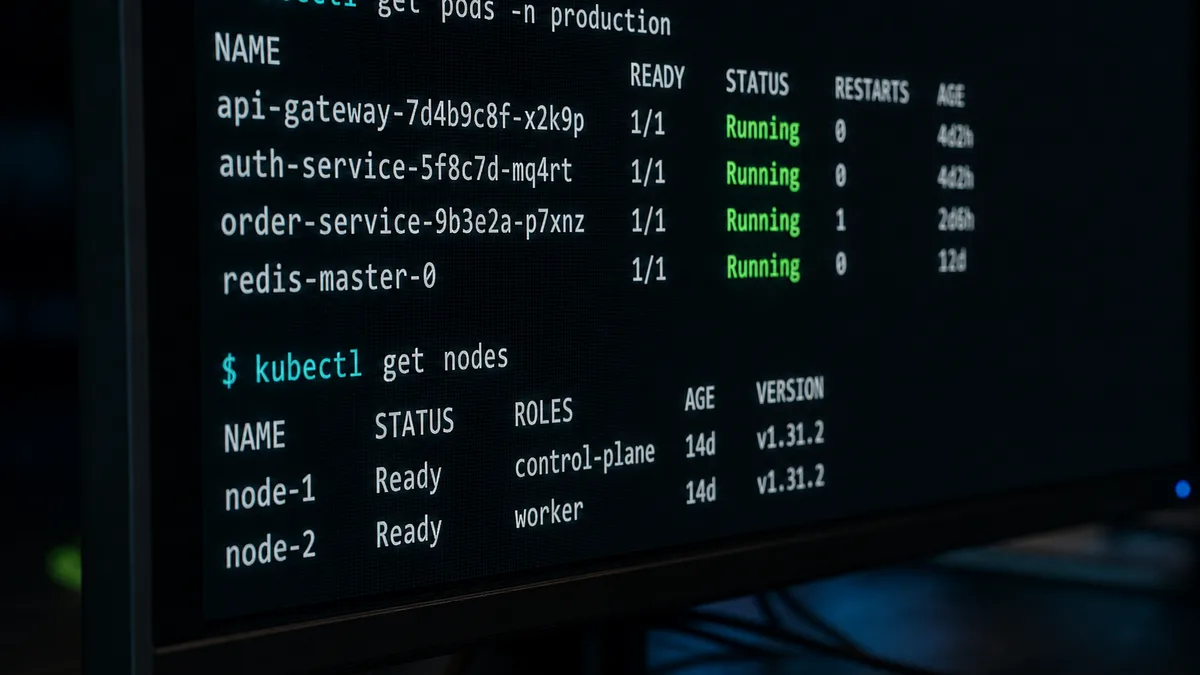
kubectl get nodes

# Détail d'un nœud : capacité, ressources déjà réservées, conditions
kubectl describe node minikube

# Les composants du plan de contrôle sont eux-mêmes des Pods, dans kube-system
kubectl get pods -n kube-system
That last command deserves a pause: the control plane is managed by Kubernetes itself. This isn’t a quirk; it’s what makes its components observable and repairable with the same tools as your applications.
The Pod, and Why It Isn’t a Container
Kubernetes doesn’t deploy containers. It deploys Pods. A Pod is a group of one or more containers that share the same network space and can share volumes. Containers in the same Pod reach each other over localhost and are always placed on the same node.
apiVersion: v1
kind: Pod
metadata:
  name: demo-pod
  labels:
    app: demo
spec:
  containers:
    - name: web
      image: nginx:1.27-alpine
      ports:
        - containerPort: 80
Why this intermediate layer? Because some needs are inseparable from the main process: a log collector that reads the same directory, a proxy that terminates TLS before the application. Treating them as independent containers would require guaranteeing their colocation through roundabout means. The Pod makes this guarantee explicit.
The second point, more important in practice: a Pod is disposable. It has no stable name, its IP address changes every time it’s recreated, and nothing survives its disappearance. So you almost never create a Pod directly — the manifest above is a teaching example, not a production template. You create a Deployment, which creates and replaces Pods for you. Lesson 3 details this chain.
What You Gain, What You Pay
Kubernetes provides, without you having to write it:
- self-healing: failed Pods and nodes are replaced automatically;
- service discovery: a stable DNS name in front of a set of moving Pods;
- rolling updates with rollback, without downtime;
- scaling, manual or automatic based on measured load;
- constraint-based placement: the scheduler places Pods according to the CPU and memory actually available.
Self-healing can be verified in a single step, and it’s the most telling demonstration of the declarative model:
# On supprime une réplique à la main…
kubectl delete pod mon-api-7d4b8c9f5-xk2mp

# …et le compte est déjà rétabli, avec un Pod au suffixe différent.
kubectl get pods -l app=mon-api
The cost is real and it needs to be named. Kubernetes adds an abstraction layer that has its own complexity: more concepts to know, more YAML configuration, a cluster to maintain or pay for, and a diagnostic toolbox to learn. For a showcase website on a single machine, docker compose remains the right choice, and claiming otherwise would be dishonest. Kubernetes pays off when you have several services, an availability requirement, or several teams deploying to the same infrastructure.
The Vocabulary Common to All Manifests
Every Kubernetes object, whatever its type, is written with the same four top-level fields. Recognizing them makes any manifest readable:
apiVersion: apps/v1      # groupe et version de l'API qui définit ce type
kind: Deployment         # le type d'objet
metadata:                # identité : nom, namespace, labels, annotations
  name: mon-api
  labels:
    app: mon-api
spec:                    # l'état voulu ; son contenu dépend du kind
  replicas: 3
There is one apiVersion rule to remember for this course, and it avoids the most common beginner mistake:
v1for Pod, Service, ConfigMap, Secret, PersistentVolume, PersistentVolumeClaim;apps/v1for Deployment, ReplicaSet, StatefulSet, DaemonSet.
An apiVersion: v1 on a Deployment is rejected by the API server with a not-very-explicit message. The exact value for a given type can be read directly from the cluster:
# Quel apiVersion pour ce type ? La réponse vient du cluster, pas de la mémoire.
kubectl api-resources | grep -i deployment

# Documentation d'un champ, sans quitter le terminal
kubectl explain deployment.spec.strategy
kubectl explain is the most underused tool in the ecosystem. It describes the fields of the API version actually installed on your cluster, which no blog post can guarantee.
What the Rest of the Course Covers
- Installation and Configuration — a local cluster with minikube or kind,
kubectl, contexts, and namespaces. - Pods, Services, and Deployments — everyday resources, label selectors, rolling updates, and probes.
- ConfigMaps and Secrets — taking configuration out of images, and what “Secret” does not mean.
- Persistent Storage — volumes, claims, StorageClass, and StatefulSet.
- Deploying Complex Applications — multi-service setups, Ingress, resources, autoscaling, and an overview of Helm.
All of these objects are already known to your future cluster. This command lists them with their short names, the ones you’ll type every day:
kubectl api-resources | grep -E 'deployments|services|configmaps|secrets|persistentvolumeclaims'
# deployments   deploy   apps/v1   true   Deployment
# services      svc      v1        true   Service
# configmaps    cm       v1        true   ConfigMap
Key Takeaways
- Kubernetes is declarative: you describe a desired state, and reconciliation loops maintain it.
applyrecords an intent; it doesn’t guarantee a result — verification is always done on the observed state. - The control plane decides (API server, etcd, scheduler, controller-manager), and the nodes execute (kubelet, runtime, kube-proxy). Knowing who does what is the foundation of diagnosis.
- The deployed unit is the Pod, not the container: a colocated group sharing network and volumes, and above all disposable. You create it through a controller, never by hand in production.
- All manifests share
apiVersion,kind,metadata,spec. Rememberv1for Pod/Service/ConfigMap/Secret/PVC andapps/v1for Deployment/StatefulSet. - Orchestration has a real complexity cost. It’s justified by the number of services, the availability requirement, and the number of teams, not by fashion.
Reference: the official documentation is available in French for a good portion of the concepts. Keep kubernetes.io/fr/docs/concepts/ open during this course.
Comments
Comments are powered by GitHub Discussions
Sign in with GitHub to join the discussion